Cameras for pets have exploded in popularity among cat owners. These handy gadgets let us peek in on our furry pals while we’re out and about.
Many even come with fun features, like treat dispensers, so we can interact with our cats even when we’re not home.
When you’re shopping for a cat camera with a treat dispenser, a few things matter most. Camera quality is key—you’ll want a clear view of your pets.
Also, it helps if the treat dispenser is simple to load and use. A solid Wi-Fi connection is important, too, or you’ll struggle to check in or toss treats.
We tried out several models to see which cat cameras with treat dispensers really stand out.
Best Cat Cameras with Treat Dispensers
We all want to keep an eye on our cats, even when life pulls us away from home. So, here’s our handpicked list of the best cat cameras with treat dispensers.
These gadgets let us watch our cats and send them treats, all from our phones. Honestly, it’s a little bit addictive.
Furbo 360° Dog Camera

This camera gives us peace of mind and lets us interact with our pets no matter where we are.
Pros
- Rotates to follow pets around the room.
- Alerts keep us updated on what’s happening.
- Simple setup and a user-friendly app.
Cons
- Some features require a paid subscription.
- Only works indoors.
- The subscription fee can feel a bit high.
We’ve used the Furbo camera for a while, and it’s honestly a game changer for pet parents. The 360° rotation means we don’t miss a thing, and it follows our pets around like it’s got a mind of its own.
Checking in and tossing treats from the app is quick and easy. Setup was a breeze—just plug it in, download the app, and connect to Wi-Fi.
The camera sends instant alerts if something odd happens, so we can respond right away. It almost feels like a tiny pet guardian watching over things.
Just a heads-up: the best features are locked behind a subscription. We think it’s worth it, but the ongoing fee might not work for everyone. Since it’s for indoor use only, outdoor pet owners will need to look elsewhere.
TKENPRO Pet Camera & Treat Dispenser

This one’s a fun and practical pick for pet parents who want to stay close to their furry friends.
Pros
- Sharp video quality, day or night.
- Treat tossing feature keeps pets engaged.
- Setup and app use are straightforward.
Cons
- Some users hit connectivity issues.
- Only one user can access the camera at a time.
- Movement alerts can be a bit jumpy.
We’ve tried the TKENPRO Pet Camera and Treat Dispenser, and it really brings us closer to our pets, even from far away. The video quality is impressive, and night vision works surprisingly well.
The treat tossing feature is a highlight. It’s actually fun to launch treats remotely and watch our cats scramble for them. The app makes everything easy to control.
We did have some trouble with the connection now and then. Sometimes, the camera picks up movement when nothing’s happening, which gets a little annoying. And if your whole family wants to check in at once, only one person can log in at a time.
PETKIT Automatic Cat Feeder

The PETKIT Automatic Cat Feeder with a built-in camera makes feeding our cats feel high-tech and kind of fun.
Pros
- Clear 1080P HD video with night vision.
- App control for custom feeding schedules.
- Two-way audio lets us chat with our cats.
Cons
- Camera only works when plugged in.
- Some app features might cost extra.
- Cleaning isn’t the easiest.
The camera really impressed us out of the box. We get a clear 1080P HD view, even in the dark, and the wide-angle lens lets us see everything our cats are up to.
Feeding is super simple. The app is easy to use, so we can set meal times and portion sizes. We even get alerts when food is running low, which is honestly pretty helpful.
There are a few downsides. The camera shuts off if you’re running on batteries, which is a letdown. Some advanced app features might cost extra, and cleaning the feeder takes a bit more effort than we’d like.
Fexfor 2K Pet Camera with Treat Dispenser
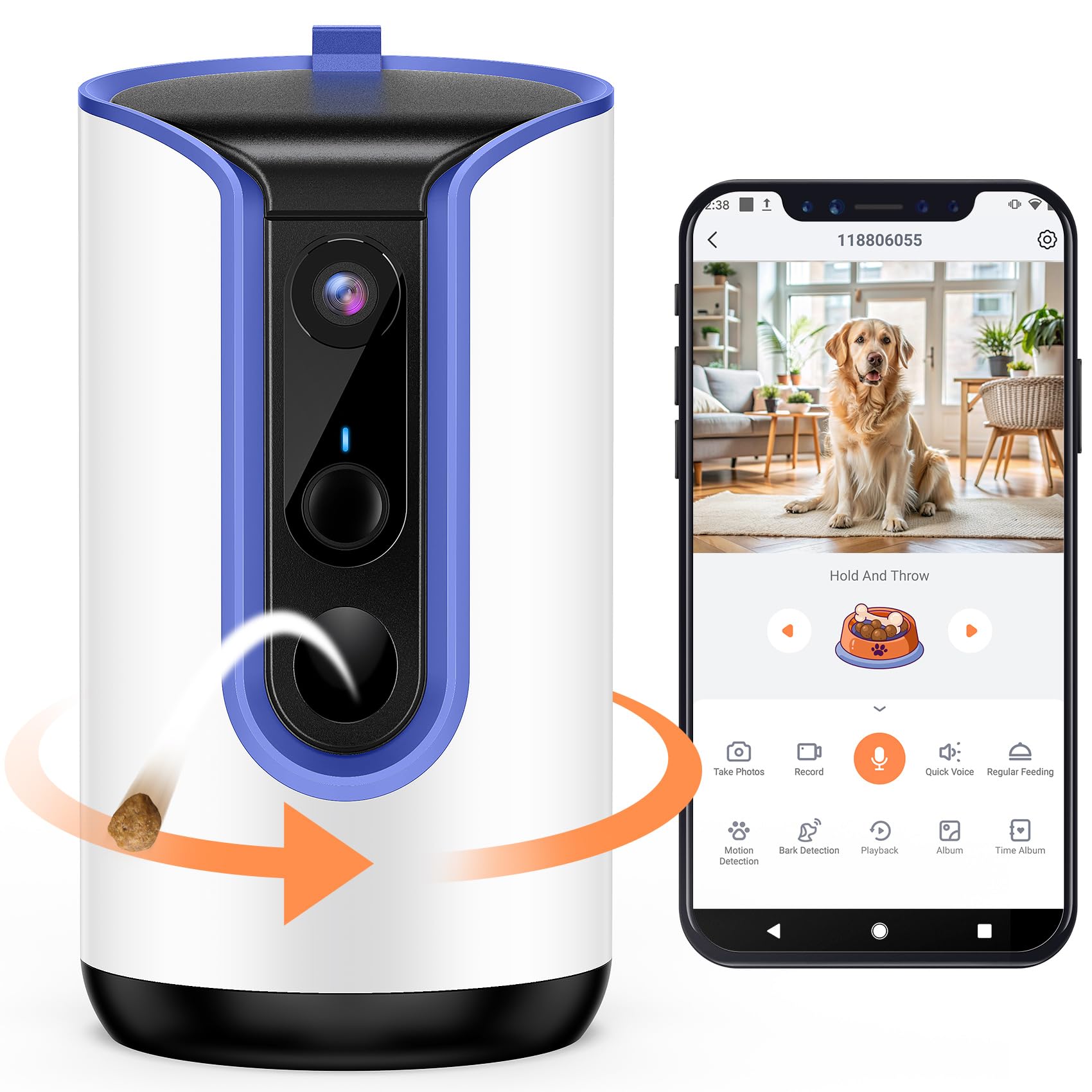
This pet camera is a fun way to keep tabs on our cats and toss them treats when we’re not around.
Pros
- Sharp video with a wide 360° view.
- Treat dispenser keeps pets entertained and helps with training.
- No subscription needed for basic features.
Cons
- The app can lag sometimes.
- Pricier than some alternatives.
- The camera’s build feels a bit cheap.
When we tried the Fexfor 2K Pet Camera, the video clarity stood out right away. The 2K resolution and 360° view let us see exactly what our cats are doing, no matter where they are in the room.
Setting up the treat dispenser was quick. We just filled it with our cats’ favorite snacks and sent treats flying from the app. It’s genuinely fun and keeps the cats busy.
The two-way audio is a nice bonus. We can talk to our cats, and sometimes they even talk back. The app does lag here and there, but overall, having this camera makes being away from home a little easier.
PARIS RHÔNE 2K Pet Camera

This pet camera adds some fun to monitoring our cats and giving them treats while we’re away.
Pros
- Clear 2K video and a wide view make it easy to monitor pets.
- Treat dispenser keeps cats entertained.
- Simple app setup, plus Alexa compatibility.
Cons
- Treat compartment isn’t see-through, so you can’t tell when it’s empty.
- Treat dispenser can jam sometimes.
- Sharing camera access with others isn’t very smooth.
After testing the PARIS RHÔNE pet camera, we liked the sharp video quality. The 2K resolution made it easy to see what our cats were doing, and the 360° rotation let us pan around the room from the app.
The treat dispenser quickly became a favorite feature. Tossing treats from the app was easy, and our cats came running every time. Two-way audio was handy too—we could talk to our pets and calm them down when needed.
There were a few hiccups. The treat container has a solid lid, so it’s tough to know when to refill. The treat mechanism jams occasionally, and sharing camera access with family takes a few extra steps. Still, it’s a fun gadget for pet owners who want to stay connected.
LUSIMPO Pet Camera with Treat Dispenser

We really liked using the LUSIMPO Pet Camera. It’s packed with features that help us connect with our pets while we’re away.
Pros
- Easy setup right out of the box.
- Clear video and two-way audio make interaction simple.
- Treat dispensing keeps our cats happy.
Cons
- Sometimes, the treat dispenser can jam.
- The camera angle could be better for wide shots.
- Initial connection issues with Wi-Fi need attention.
Setting up the LUSIMPO was super easy. We unboxed it, plugged it in, and downloaded the app in just a few minutes.
Connecting to Wi-Fi didn’t give us much trouble. The video quality is sharp—1080p, so we can actually see what our pets are up to.
The two-way audio is a nice touch. We can talk to our cats and hear them back, which is oddly comforting.
The treat dispenser feature? Our cats are obsessed. Tossing treats remotely through the app never gets old.
Sometimes, treats get stuck, though. Using smaller, non-sticky treats seems to help.
Motion alerts keep us in the loop about any activity. We like being able to record our voice for treat time too—adds a bit of fun.
Owlet Pet Camera with Treat Dispenser

This one’s a solid pick if you want to keep tabs on your pets and treat them from afar.
Pros
- Easy to set up and use.
- Clear video quality and night vision.
- No subscription fees for using the app.
Cons
- Occasional app glitches.
- Limited wide-angle view.
- The treat launcher can be finicky at times.
We’ve enjoyed our time with the Owlet Pet Camera. The setup took just a few minutes—no fuss.
The 1080P HD video is crisp, and the night vision actually works. It feels like our cats have their own little movie studio.
Tossing treats with a tap on the phone is a hit with our pets. It’s fun for us too, honestly.
The two-way audio lets us chat with our cats. Recording our voices before treat time is a cute touch.
No hidden fees here, which is a relief. Some other cameras sneak those in.
The app does glitch now and then. Sometimes it’s slow to connect, which can be a bit annoying.
The camera’s view is a little narrow, so we sometimes miss what’s happening off to the side.
Geeni Treat Cam Pro
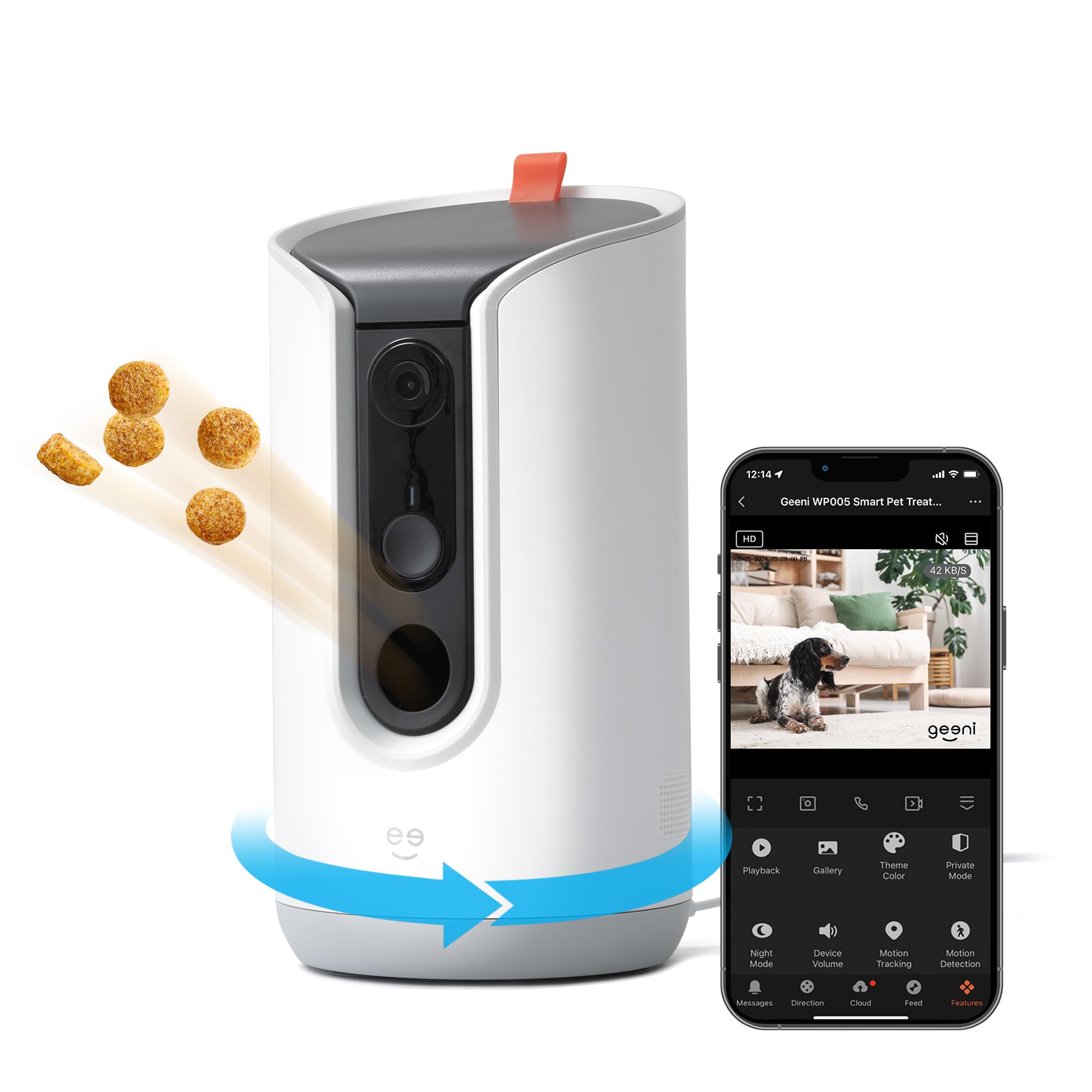
This pet camera and treat dispenser makes it easy to check on our furry friends and keep them fed while we’re away.
Pros
- High-quality 2K HD video for clear visuals.
- Easy to set up and control through the app.
- Two-way audio lets us talk to our pets.
Cons
- Some treats may jam in the dispenser.
- Limited functions with Alexa.
- Wi-Fi connection can sometimes be unstable.
The Geeni Treat Cam Pro has been a handy addition for us. The 2K HD camera gives a really wide view, so we catch most of the action.
Even at night, the video stays sharp. It’s great for checking in when we’re away.
Setup was simple, and the app is straightforward. We can toss treats and chat with our pets easily.
Honestly, it’s a relief to hear our voices calm them down when we’re not home.
We did run into a couple of snags. Sometimes our chosen treats jammed the dispenser, which got a little frustrating.
Alexa only lets us use the camera, not the treat feature. The Wi-Fi connection is mostly steady, but it does drop out here and there.
Buying Guide
Picking the right cat camera with a treat dispenser can be fun, but it’s not always straightforward. There are a few key features we keep in mind.
Key Features to Consider
| Feature | Why It Matters |
|---|---|
| Camera Quality | Clear video helps us see our cats better. Look for at least 1080p resolution. |
| Treat Capacity | We want it to hold enough treats for our cats. Check how many treats it can handle at once. |
| Two-Way Audio | Being able to talk to our cats can be comforting for them. |
| Mobile App | A good app makes it easy to control the camera and dispense treats. |
| Night Vision | Night vision allows us to see our cats even in low light. |
Extra Features
- Motion Detection: This alerts us when our cat is active or out of the ordinary.
- Ease of Setup: We enjoy products that we can set up quickly and easily.
- Compatibility: Make sure it works with our Wi-Fi and smartphones.
Price Range
- Budget Options: These can start from $50 and still offer decent features.
- Mid-Range: These usually go from $100-$200, adding more features.
- High-End: Prices above $200 often include top cameras and advanced tech.
Frequently Asked Questions
We get a lot of questions about cat cameras with treat dispensers. Here are some of the common ones, along with our honest answers.
Which cat cams let you toss treats and chat with your kitty?
Some popular options include the Petcube Play 2, Furbo, and the Petzi Treat Cam. These cameras let us toss treats while chatting with our furry friends using two-way audio.
Do any treat-tossing cameras work well without monthly fees?
Yep, plenty of cameras like Furbo and the Petcube Play 2 don’t require a monthly fee for basic features. You can use the essentials without extra costs.
Can I find a cat camera that also works outdoors?
There are outdoor options. Cameras like the Ring Spotlight Cam or the Arlo Pro are built for outdoor use, but we need to double-check they’re pet-proof and can handle the weather.
Are there pet cams that I can control from my phone to dispense treats?
Definitely! Most modern models, like the Furbo and Petcube, let us control treat dispensing right from our phones. It’s a good way to keep our cats engaged when we’re not around.
How reliable are two-way cameras for monitoring and interacting with pets?
Two-way cameras are generally pretty reliable, though results can vary. We find them useful for casual check-ins and quick chats, but reading customer reviews for specific models helps set expectations.
What should I look for in a camera that lets my cat wear it?
When you’re picking out a wearable camera for your cat, start with something lightweight. If it feels bulky or awkward, your cat probably won’t be thrilled.
Make sure the camera attaches securely—nobody wants to chase a lost gadget under the couch. Battery life matters too, especially if your cat’s on the move a lot.
And of course, you want clear video. Otherwise, what’s the point if you can’t even tell what your cat’s up to?